

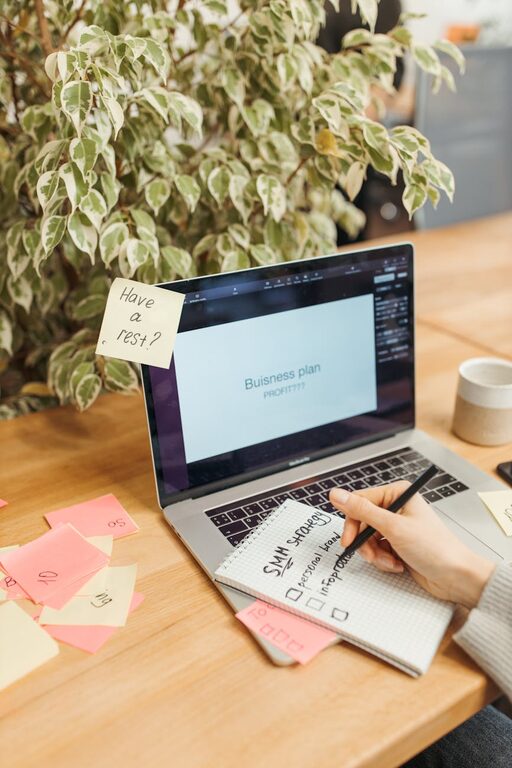
Creating a productive home office space is essential for anyone working remotely or running a business from home. A well-designed workspace can improve focus, reduce distractions, and make your workday more enjoyable. Whether you have a spare room or just a small corner, these tips will help you set up an efficient and comfortable home office.
Choose the Right Location
Finding the ideal spot for your home office is the first step toward productivity. Here are some factors to consider:
– Natural Light: Position your desk near a window if possible. Natural light boosts mood and energy levels.
– Quiet Area: Pick a quiet part of your home to minimise distractions, especially if you share your space with family or housemates.
– Space Availability: Ensure you have enough room for your work essentials and to move around comfortably.
– Privacy: Consider how private you need your workspace to be, depending on your work type and video calls.
Invest in Ergonomic Furniture
Comfort is crucial when you spend hours at your desk. Ergonomic furniture helps prevent strain and improves posture:
– Desk: Choose a desk that fits your space but also allows you to organise your items neatly. Height-adjustable desks are great for alternating between sitting and standing.
– Chair: Opt for an ergonomic chair with good lumbar support. Test it out to make sure it feels comfortable during long sessions.
– Accessories: Use a footrest, wrist pads, or monitor stands to keep your body aligned comfortably.
Organise Your Desk Efficiently
A tidy desk helps you stay focused and reduces stress. Use these ideas to keep your workspace organised:
– Declutter: Only keep essentials on your desk. Regularly clean out unnecessary papers or gadgets.
– Storage Solutions: Use shelves, drawers, or organisers to store supplies like pens, notebooks, and cables.
– Cable Management: Use clips or ties to prevent cord tangles and create a clean look.
Set Up Technology Thoughtfully
Your home office should support your work tasks with reliable technology:
– Good Internet Connection: Ensure your Wi-Fi is fast and stable to prevent interruptions during meetings or downloads.
– Quality Equipment: Invest in a good monitor, keyboard, mouse, and webcam for comfort and professionalism.
– Backup Power: Consider a power strip with surge protection or an uninterruptible power supply (UPS) to safeguard devices.
Personalise Your Space
Adding personal touches makes your home office inviting and motivating:
– Colours: Use colours that inspire you. Soft blues and greens tend to be calming, while yellows and oranges can boost creativity.
– Plants: Indoor plants improve air quality and add a touch of nature.
– Artwork and Photos: Hang favourite pictures or art pieces to make the space uniquely yours without overwhelming the work vibe.
Manage Lighting Effectively
Proper lighting reduces eye strain and keeps you alert:
– Layered Lighting: Combine natural light with overhead lighting and task lamps.
– Adjustable Lamps: Use adjustable desk lamps to focus light where you need it most.
– Screen Brightness: Adjust your monitor’s brightness to match the room lighting to avoid glare.
Establish Boundaries and Routine
A home office needs clear boundaries to separate work from home life:
– Dedicated Work Hours: Maintain consistent start and finish times to help your mind switch on and off work mode.
– Breaks: Take regular breaks away from your desk to stretch, refresh your eyes, and recharge.
– Communicate: Let family or housemates know your work schedule to reduce interruptions.
Maintain Cleanliness
A clean workspace promotes clarity and efficiency:
– Daily Tidying: Spend a few minutes at the end of each day to organise and clear your desk.
– Regular Deep Cleaning: Dust and clean your workspace weekly to maintain a pleasant environment.
Final Thoughts
Creating a productive home office space doesn’t have to be complicated or expensive. By choosing the right location, investing in good furniture, organising your tools, and personalising your space, you can build an environment that supports focus and productivity. Remember, the key is balancing functionality with comfort to make working from home both effective and enjoyable.